A review journal written by founders 0 shipped

FoundeReview

Review·Dev tools

Harmony made me curious. The signup left me stranded.

The idea of coordinating coding agents was interesting enough to try. I would start by making the first steps easier to follow.


on Harmony

I kept seeing Harmony promoted on X, so I opened the website out of curiosity. The idea eventually caught my interest: the coding agents I already use, sharing tasks and handing work to one another. I wanted to give it a try and went through the website signup. This review is about that first encounter, rather than the desktop workspace, which I did not get to test.

One thing I’d changeI would focus on the path from interest to a successful first try, starting with the post-signup redirect. A visitor who has decided to register should land somewhere useful and know what to do next. Then I would bring a plain explanation and the real workflow screenshot closer to the top of the homepage. The site says the core local workspace needs no account; making that distinction clearer would help people choose the right starting point. The idea did earn my curiosity. I would like the onboarding to carry it through.
Would I pay: No Continued →

Harmony's homepage hero shows the eyebrow label AGENT-TO-AGENT ORCHESTRATION, the headline Run every agent. Orchestrate them all., and Download Harmony and See the workflow buttons beside a halftone illustration. A red ellipse annotates the dense paragraph beneath the buttons, which explains that agents from providers such as Claude Code, Codex, Cursor, Grok, Kimi, Gemini, Devin, and OpenCode share one task board and one inbox.
Fig. 1Harmony’s homepage pairs a large illustrated hero with a dense explanation below the buttons. I needed more reading before the product clicked.
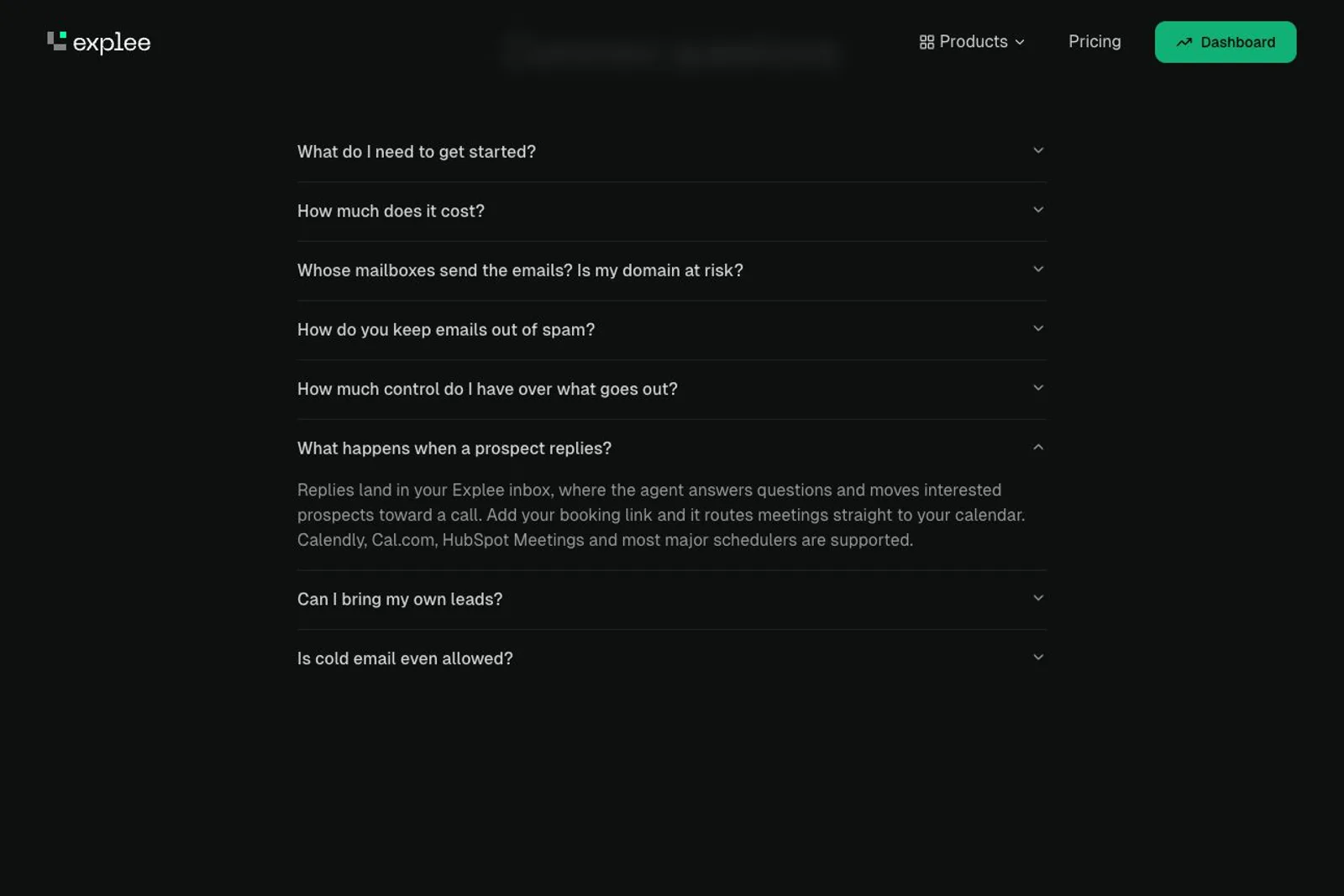
On Explee's dark FAQ page, the accordion question What happens when a prospect replies? is expanded, and a red hand-drawn oval circles the answer paragraph stating that replies land in the Explee inbox, where the agent answers questions and moves interested prospects toward a call, and that adding a booking link routes meetings straight to the calendar with Calendly, Cal.com, and HubSpot Meetings supported. Other collapsed questions such as What do I need to get started?, How much does it cost?, and Is cold email even allowed? remain closed above and below, beneath a header showing Products, Pricing, and a Dashboard button.
Fig. 1Explee’s public FAQ describes replies being handled in its inbox, with interested prospects moved toward a call and a booking link.

Review·Marketing & Sales

I bought Explee for email. I am less keen on the meeting.

The prospecting turned out to be useful too. I am still looking for a path that fits a small SaaS and a founder who prefers writing.

Yes
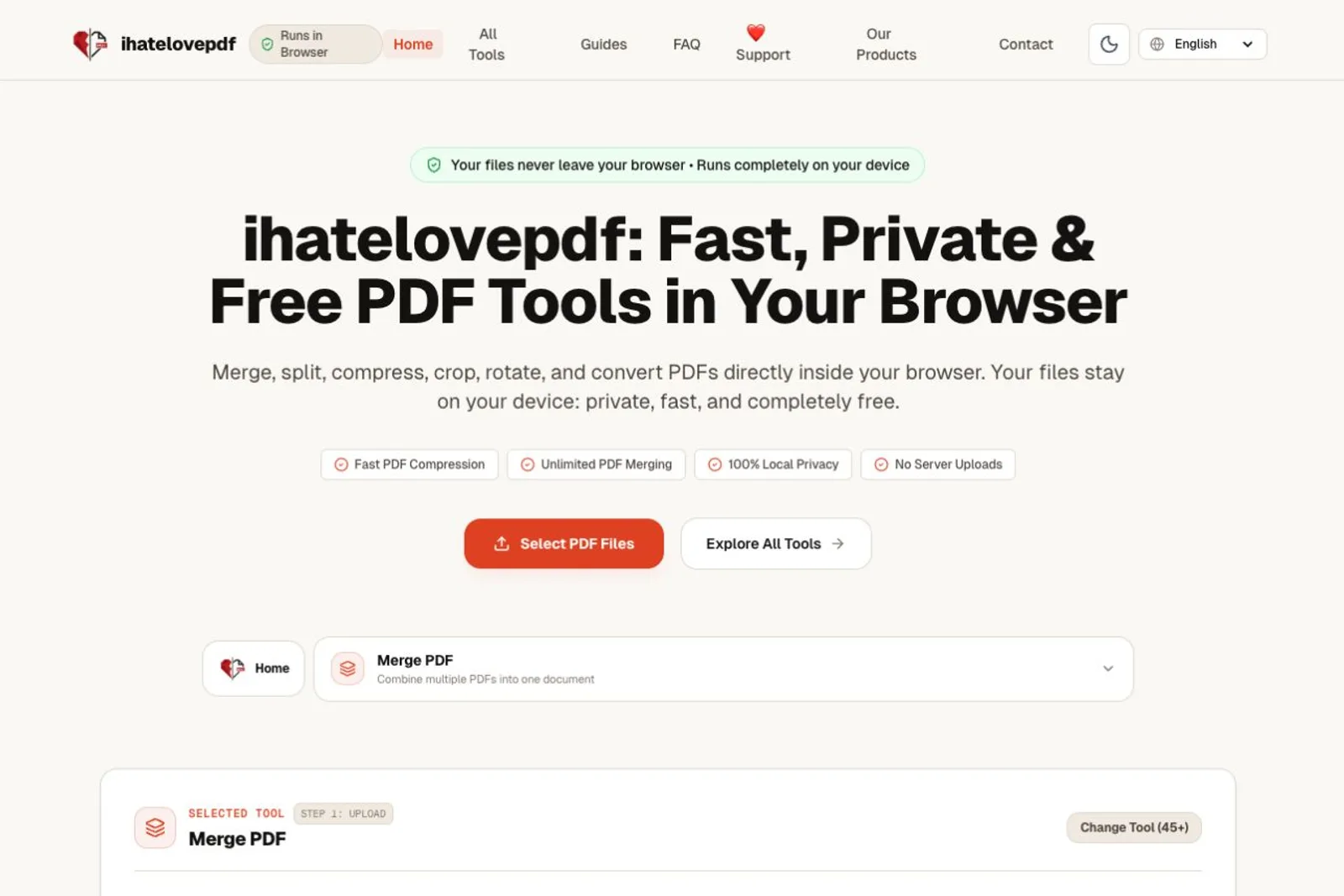
On the ihatelovepdf homepage, a red-circled banner above the headline reads "Your files never leave your browser • Runs completely on your device," sitting over the primary "Select PDF Files" button. A red arrow annotated "More tools here" points to the secondary "Explore All Tools" button, with a "Merge PDF" tool panel visible below.
Fig. 1The homepage states that files stay on the device. The main action selects files; the wider toolkit sits behind a separate link.

Review·Other

ihatelovepdf is better than its first impression

It covers most of my PDF needs. The homepage took longer to explain why I wanted it.

Yes Accepted by Shreyash, building ihatelovepdf